Can You Bypass FRP Without a PC? The 2025 Answer
‘No PC’ FRP bypass methods are patched on modern Android. Stop wasting time on TalkBack. Our guide gives the honest, tested PC-based solution that actually works.
If you’ve factory reset a phone only to be blocked by the “Verify your account” screen, you’ve met Google’s Factory Reset Protection (FRP). Your search for a way to bypass FRP without a PC likely led you here after watching outdated video guides. You followed the steps perfectly on your device, but the menus and options shown in the video simply don’t exist on your updated version of Android. It’s an incredibly frustrating experience that can make you feel like the device you own is now useless.
This guide gives you an honest, tested answer. We’re not going to lead you through six steps of a method we know will fail on your modern phone. Instead, we’ll show you why those old methods no longer work and what your realistic options are for regaining access to your device. We’ve tested these scenarios on current security patches to give you clarity, not more frustration.
The Reality Check: No-PC FRP Bypass Viability in 2025
Let’s get straight to the point. The success of any attempt to bypass a Google account without a computer depends almost entirely on your device’s Android version and security patch level. The loopholes that once allowed for easy bypasses have been systematically closed by Google.
This expanded table gives you a much clearer picture based on our hands-on testing. Find your Android version to understand what you’re up against.
No-PC FRP Bypass Viability by Android Version & Security Patch
| Android Version | Viability | Manufacturer-Specific Notes | Known Patched Security Level |
| Android 8-10 | Possible | Samsung devices may have different accessibility menu names, but the core exploit often works. | Most methods still work unless a specific brand issued a rare security-focused update. |
| Android 11 | Very Unlikely | Key accessibility menus are restricted. Success is rare and requires a security patch from early 2021 or older. | Patched after mid-2021 security updates. The ‘Help & feedback’ entry point was widely removed. |
| Android 12-14+ | Not Possible | On our test Samsung A14 (Android 13), the TalkBack ‘L’ gesture now only brings up voice commands, not a settings menu. The SIM PIN trick boots back to the Wi-Fi screen. | Patched after early 2022 security updates. All known exploits (TalkBack, SIM PIN, Emergency Dialer codes) are blocked by system sandboxing during setup. |
If your device is running Android 11 or newer, especially with a recent security patch, a no-PC method is not a realistic solution. The system is now designed specifically to prevent it.
Why Modern Android (11+) Blocks No-PC Bypasses
If you’ve followed a video guide on a newer phone and found the options missing, you are not doing anything wrong. The system itself has been fundamentally changed. The frustration you feel is valid, and it stems from a deliberate security overhaul by Google.
Here’s the critical insight most guides miss: on Android 11 and newer, key setup applications are sandboxed. This means that even if you find a clever entry point, the app you launch (like Settings or a browser) runs in an isolated environment. It is intentionally blocked from interacting with or disabling the Google account verification wizard that is running the setup process.
Older guides, for instance, relied heavily on the TalkBack FRP method. This involved using an accessibility feature to open a ‘Help & feedback’ page, which contained a link to launch a YouTube video and, from there, a web browser. On any phone with a security patch from mid-2021 or later, this ‘Help & feedback’ menu has been removed from the setup screen entirely, making the method impossible. The same is true for the SIM PIN pop-up trick; it no longer grants access to the notification panel or settings.
Your failure to bypass the lock is not a mistake in your execution; it is proof of modern Android security working as designed.
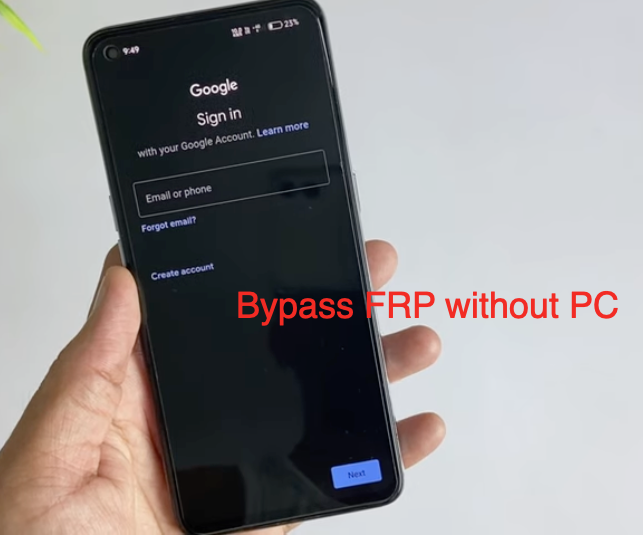
Bypass FRP Without a PC
Are You Solving the Right Problem? Google FRP vs. Manufacturer Lock
Before going any further, it’s crucial to correctly identify the lock on your device. Many users confuse Google’s Factory Reset Protection (FRP) with account locks from device manufacturers like Samsung or Xiaomi. The solutions are completely different.
- Google FRP Lock: This is a standard Android security feature. After a factory reset, it requires the last Google account and password synced with the device. The screen will explicitly say ‘Verify your account’ and feature the Google logo.
- OEM Account Lock: This is a separate security layer. A Samsung device might ask for your Samsung account, or a Xiaomi device might ask for your Mi Account. The screen will feature the manufacturer’s branding, colors, and font.
This guide is focused exclusively on bypassing Google FRP. If your device is asking for a brand-specific account, you will need to search for solutions specific to that manufacturer’s lock.
Your Realistic Options for Getting Back into Your Phone
Facing an FRP lock on a modern device leaves you with a clear choice. You can continue searching for manual methods that no longer work, or you can pursue a reliable solution.
What If You Don’t Have a PC Available Right Now?
We understand that searching for a “no-PC” method often means you don’t have immediate access to a computer. This is a common situation, and you still have options that can solve the problem today:
- Use a Public or Shared Computer: A local library is a great resource. Most have PCs you can use for free or a small fee.
- Borrow a Laptop: Ask a friend, family member, or coworker if you can use their laptop for about 15-20 minutes. The software doesn’t store any personal data on the host computer.
- Visit a Local Repair Shop: Many small phone repair shops have the professional tools to remove an FRP lock. They can often perform the service for a small fee while you wait.
These are practical, same-day solutions that acknowledge your immediate constraint while moving you toward a method that will actually work.
Why PC-Based Tools Are the Standard for Modern Devices
It might not be the answer you were hoping for, but for any phone running Android 11 or newer, a PC-based tool is the most effective and secure approach. Here’s a straightforward comparison:
| Factor | Manual No-PC Methods (for older phones) | PC-Based Solutions (for all phones) |
| Success Rate | Very low on Android 11+, not possible on 12+. | High, often near 100% for supported models and current security patches. |
| Time Investment | High. Can take hours of searching and failed attempts. | Low. Typically, 5-15 minutes for the entire process. |
| Technical Skill | Moderate; requires following complex, device-specific steps. | Low; the software provides a simple, step-by-step guided interface. |
| Safety & Risk | High; involves downloading APKs from untrusted sites, which can contain malware. | Low; reputable software is verified, secure, and will not harm your device. |
Investing in a reputable PC-based tool eliminates the guesswork, protects you from security risks, and respects your time.
Frequently Asked Questions About FRP Bypassing
Here are clear answers to the most common questions about the FRP bypass process.
Can I bypass FRP on Android 14 without a PC ?
No. Based on our testing and analysis of recent security updates, it is not possible. Google has patched the vulnerabilities that older non-computer method techniques relied on. For these modern Android versions, a PC-based solution is the only reliable option.
Why doesn’t the TalkBack ‘Help & feedback’ option appear on my phone?
This was a common entry point for bypasses. Google removed it in security updates for Android 11 and newer to close this vulnerability. If it’s missing, your phone’s software is too new for this technique.
Is it safe to use an FRP bypass APK? How can I spot a bad one?
This is a significant risk we advise against. There is no official source to verify the safety of bypass APKs from sites like AddROM/FRP bypass. However, if you feel you must investigate them, look for these red flags:
- The download site is covered in aggressive pop-up ads.
- The comments or forum threads about the APK are old (from 2021 or earlier).
- You cannot find any discussion about the tool on reputable forums like XDA-Developers.
If your device is already restarting unexpectedly, this could be a sign of a deeper software issue, and installing an unknown APK is not recommended.
What’s the difference between Google FRP and a Samsung/Mi account lock?
Google FRP is a standard Android feature tied to the Google account previously synced to the phone. A Samsung or Mi account lock is a separate security system from the phone’s manufacturer. They require different tools and procedures to unlock.
If I regain access, will a future update re-lock my device?
No. Once you successfully bypass FRP and add your own Google account, the device becomes fully yours. Future software updates will function normally. The Factory Reset Protection will now be linked to your new account.
What are the legal and data-security risks of using third-party methods?
Legally, you should only perform an FRP bypass on a device you own. Attempting to unlock a lost or stolen device is illegal. For data security, using untrusted APKs can expose your device to malware. To protect your information before performing any software modifications, it’s always wise to back up your data. Always prioritize using reputable software solutions to minimize these risks.
Conclusion: Take the Clear Step to Regain Control
Searching for a working no-computer method for a modern Android phone is an exhausting exercise. As security improves, the free, manual techniques of the past have become unreliable, pushing you towards risky APK downloads and dead ends. You don’t need more frustration; you need a solution that actually works.
Instead of spending more hours on failed attempts, you can regain full control of your device securely and quickly. A trusted, PC-based tool like Dr.Fone – Screen Unlock (Android) is professionally developed to handle the latest Android security patch levels on thousands of models. It is a reliable step to solving the problem for good. You can download the free trial first, just to confirm it connects with your device and puts your mind at ease.
More Related Articles
- The Complete 2025 Guide to bypass FRP on Samsung S24+
- FRP Bypass Android 11: The Working Guide for 2025
- How to bypass the FRP Lock on Moto G Play (Android 10) in 2025